
What Is ChatPic and How Does Private Image Sharing Work?
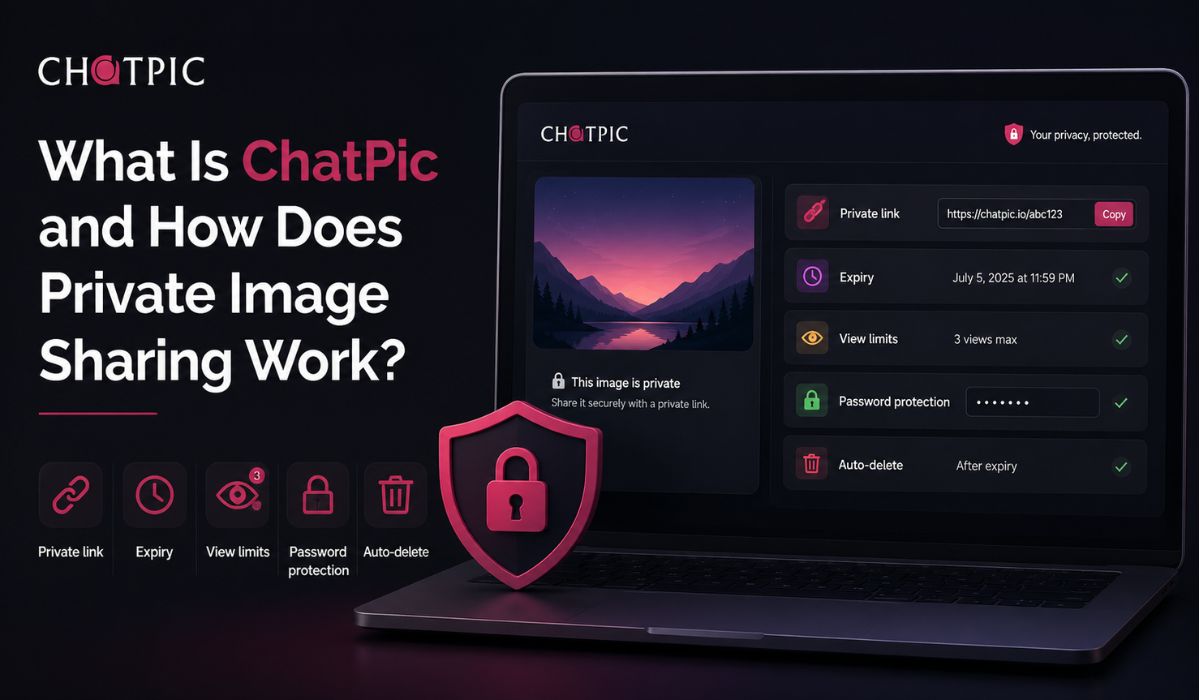
Quick Answer: ChatPic is a private image-sharing tool that lets you upload an image and share it with a secure link. You can set an expiration time, limit views, add password protection, and let the file auto-delete. No signup is required, so it works well for quick private sharing.
Sometimes you just need to send an image quickly. Maybe it is a screenshot, a design preview, a bug report, or a photo you do not want sitting online forever. Normal image hosting tools can work, but they often feel too public or too permanent.
That is where ChatPic is useful. It is made for private and temporary image sharing, not for building a public gallery. You upload an image, set a few controls, and share the link with the person who needs to see it.
The nice part is that you do not need to create an account. For small quick sharing tasks, that matters. Nobody wants to sign up, confirm email, make a profile, and then upload one screenshot.
What Is ChatPic?
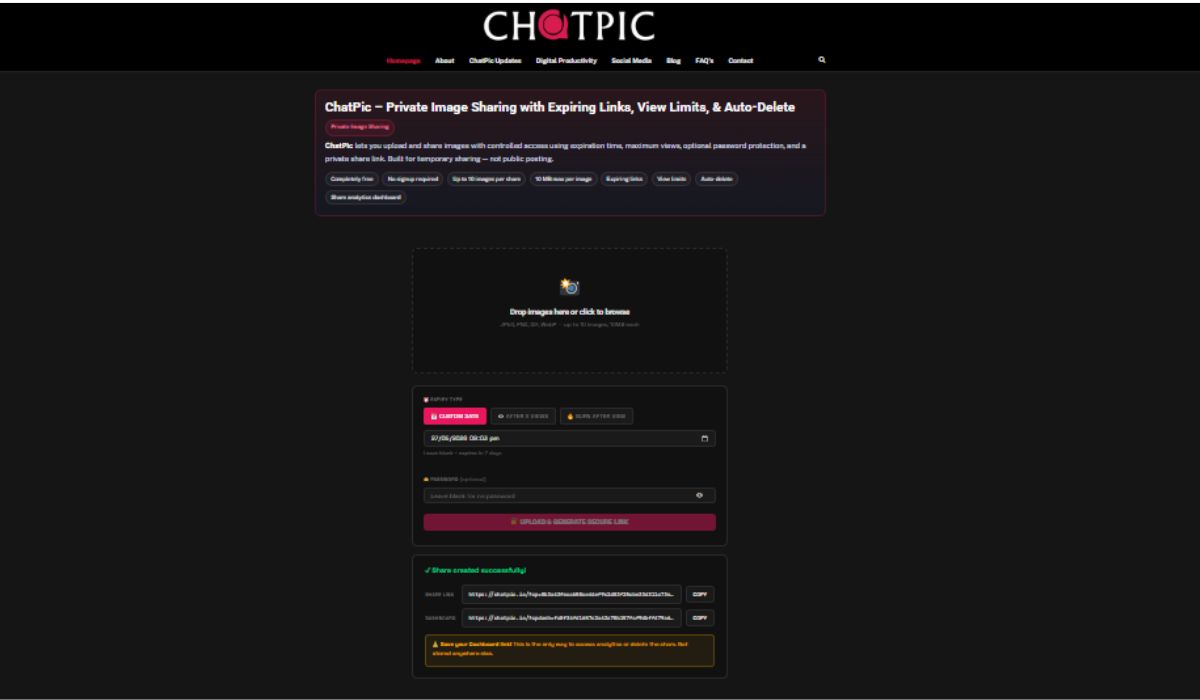
ChatPic is an image upload and sharing tool that focuses on privacy and control. Instead of uploading an image and leaving it online forever, you can set how long it should remain available and how many times it can be viewed.
It works best when you want to share an image with someone for a short time. For example, you may want to send a private screenshot to a friend, show a quick design draft to a client, or share an image with support staff. Once the time or view limit is reached, the file can be deleted automatically.
So it is not just “upload and share.” The main idea is upload, control, share, and remove when it is no longer needed.
How ChatPic Works
Using ChatPic is simple. You do not need a big setup or account. You upload the image and choose the privacy options before sharing it.
Here is the basic flow:
- Upload your image
Choose the image you want to share. This can be a screenshot, photo, design image, or any visual file you need to send privately. - Choose an expiry time
Set how long the image link should stay active. This is useful when the image only needs to be seen today, for a few hours, or for a short project. - Set a view limit if needed
If only one person needs to see the image, you can limit how many times it can be opened. This helps stop the link from being passed around too much. - Add password protection
If the image is sensitive, you can add a password. Then only someone with the link and password can view it. - Copy the sharing link
After upload, ChatPic gives you a link. You can send that link through chat, email, support ticket, or wherever you need. - Keep the delete link
If ChatPic gives you a delete link, keep it safe. It gives you more control if you want to remove the image manually before the expiry time.
That’s pretty much it. Upload, set controls, share the link, and let the image expire or auto-delete later.
Pivotal Features of ChatPic
ChatPic is useful because it gives you more control than a normal image upload. You are not only sharing the image. You are also deciding how long it should live and who should open it.
| Feature | What It Does |
|---|---|
| Expiration Time | Makes the image link stop working after a set time |
| View Limit | Limits how many times the image can be opened |
| Password Protection | Requires a password before someone can view the image |
| Auto-Delete | Removes the file after expiry or the view limit is reached |
| No Signup | Let’s you upload quickly without creating an account |
| Session ID Watermark | Adds a visible ID to help discourage misuse |
These features are simple, but they solve a real problem. Most people do not need a full cloud storage setup just to share one image. They need a quick link that does not stay around forever.
Why ChatPic Is Different From Normal Image Hosting
Normal image hosting is often made for sharing images publicly or keeping them online for a long time. That can be fine for memes, blog images, public screenshots, or social posts. But not every image should stay online like that.
ChatPic is different because it focuses on temporary private sharing. You can set an expiry time, limit views, use a password, and let the image delete itself later. That gives you more control after the link is shared.
Of course, no private sharing tool can stop every risk. If someone can view an image, they may still take a screenshot or save it. But tools like expiry, password protection, and watermarking make the sharing process safer and more controlled than sending a plain public link.
Secure Private Sharing With Session ID Watermarking
One helpful ChatPic feature is session ID watermarking. In simple words, it can show a visible ID on the shared image. This can make people think twice before saving or resharing the image without permission.
Watermarking is not magic. It cannot fully stop someone from taking a screenshot or using another phone to capture the image. But it does add a layer of accountability. If every viewer sees a marked version, the image feels less like something they can quietly pass around.
This is useful for private previews, client work, screenshots with limited access, or anything where you want the viewer to know the image is meant for controlled sharing.
When Should You Use ChatPic?
ChatPic is best when you need fast image sharing, but you do not want the image to stay public or available forever. It is not only for personal photos. It can also work for work, support, testing, and collaboration.
You can use ChatPic for:
- Sharing screenshots with support teams
- Sending temporary images to friends or coworkers
- Sharing client previews or design drafts
- Sending private notes or visual proof
- Sharing bug report screenshots
- Uploading images without making an account
- Sending one-time image links for quick review
For example, if you are reporting a website bug, you may not want that screenshot sitting forever in a public image host. With ChatPic, you can share it for a limited time and let it disappear later.
Is ChatPic Safe to Use?
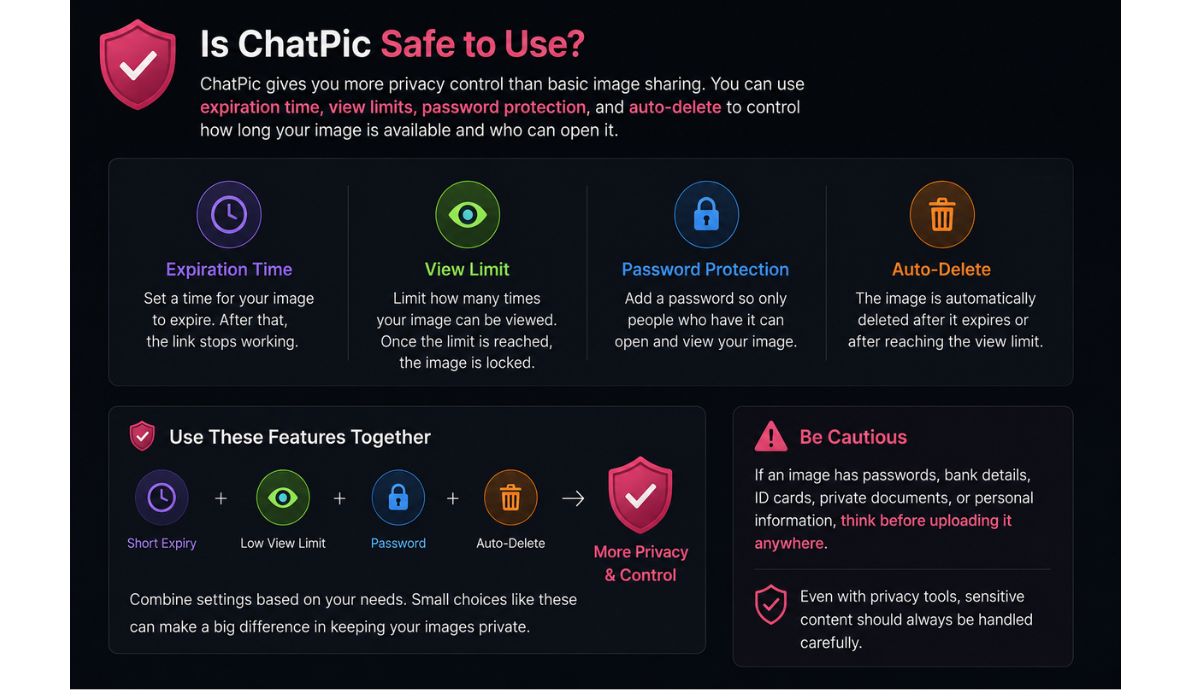
ChatPic gives you more privacy controls than basic image sharing, including expiration times, view limits, password protection, and auto-delete. These features can shorten the time your image is available and limit who can open it.
But you should still be careful with very sensitive images. If an image has passwords, bank details, ID cards, private documents, or personal information, think before uploading it anywhere. Even with privacy tools, sensitive content should be handled carefully.
A good way to use ChatPic safely is to combine features. If the image is private, add a password. If it only needs to be seen once, set a low view limit. If it is only needed today, use a short expiry time. Small settings like these make a big difference.
ChatPic vs Regular Image Sharing
Here is a simple comparison to understand where ChatPic fits.
| Sharing Method | Best For | Main Limitation |
|---|---|---|
| ChatPic | Private and temporary image sharing | Links still need to be shared carefully |
| Social Media | Public posts and audience sharing | Less private by default |
| Cloud Links | Long-term file access | May need account and permission setup |
| Messaging Apps | Quick personal sharing | Less control after sending |
Messaging apps are fine for normal images. Social media is fine when you want public attention. Cloud storage is better for long-term file access. But if you want a private image link with expiry, password, and auto-delete, ChatPic makes more sense.
Tips for Sharing Images Privately
Even with a private sharing tool, your own sharing habits matter. A private link is only private if you send it carefully. If you post the link in a public group or open comment section, the privacy controls may not help as much.
Here are some simple tips:
- Use a password for sensitive images
- Set a short expiry time when possible
- Use a view limit if only one or two people need access
- Do not share private links in public chats
- Keep the delete link safe
- Avoid uploading images with passwords, bank details, or ID cards unless needed
- Remove the image manually if you no longer need it shared
The basic rule is easy. Share only what is needed, only with the person who needs it, and only for as long as needed.
Final Thoughts
ChatPic is a simple tool for private image sharing with more control. You can upload an image, set an expiry time, limit views, add password protection, and let the file auto-delete without creating an account.
It is useful for screenshots, temporary photos, client previews, design drafts, support images, and other quick sharing tasks where a normal public image host feels too open. It does not make sharing risk-free, but it gives you better control over access and time.
If you often send images that should not stay online forever, ChatPic can be a handy option. What type of image do you usually need to share privately, screenshots, personal photos, or work previews?

