
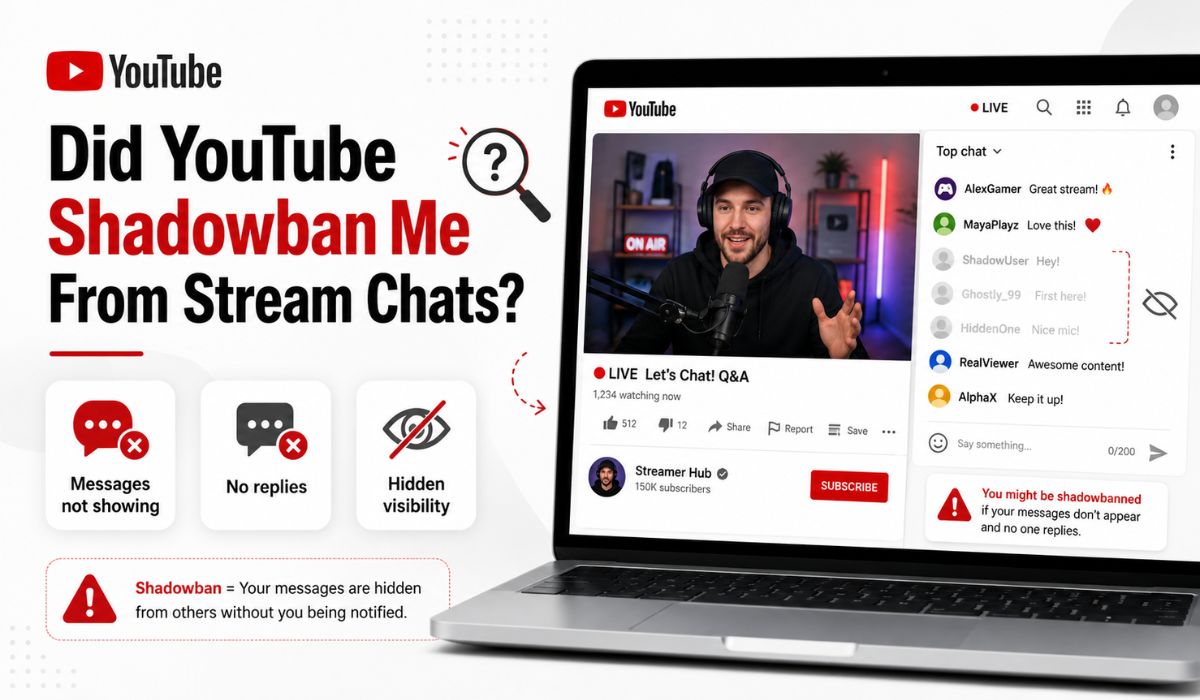
Did YouTube Shadowban Me From Stream Chats? How to Tell
Quick Answer: Maybe, but it is not always a real “shadowban.” Your YouTube live chat messages may be hidden because of Top Chat filtering, channel moderation, blocked words, links, spam filters, or because the creator or moderator hid you from that channel.
You type something in a YouTube live stream chat, press send, and it looks like your message went through. But nobody replies. The streamer does not see it. Your friend says they cannot see it either. After a few tries, you start thinking, did YouTube shadowban me from stream chats?
That feeling is annoying, especially when your message appears normal on your own screen. But YouTube live chat has a lot of moving parts. There is Top Chat, Live Chat, blocked words, moderators, timeouts, spam filters, channel settings, and sometimes simple app bugs too.
So before assuming your whole YouTube account is shadowbanned, it is better to test what is really happening. In this guide, we’ll go through the signs, common causes, quick checks, and what to do if your live chat messages aren’t showing.
What “Shadowban” Means in YouTube Live Chat
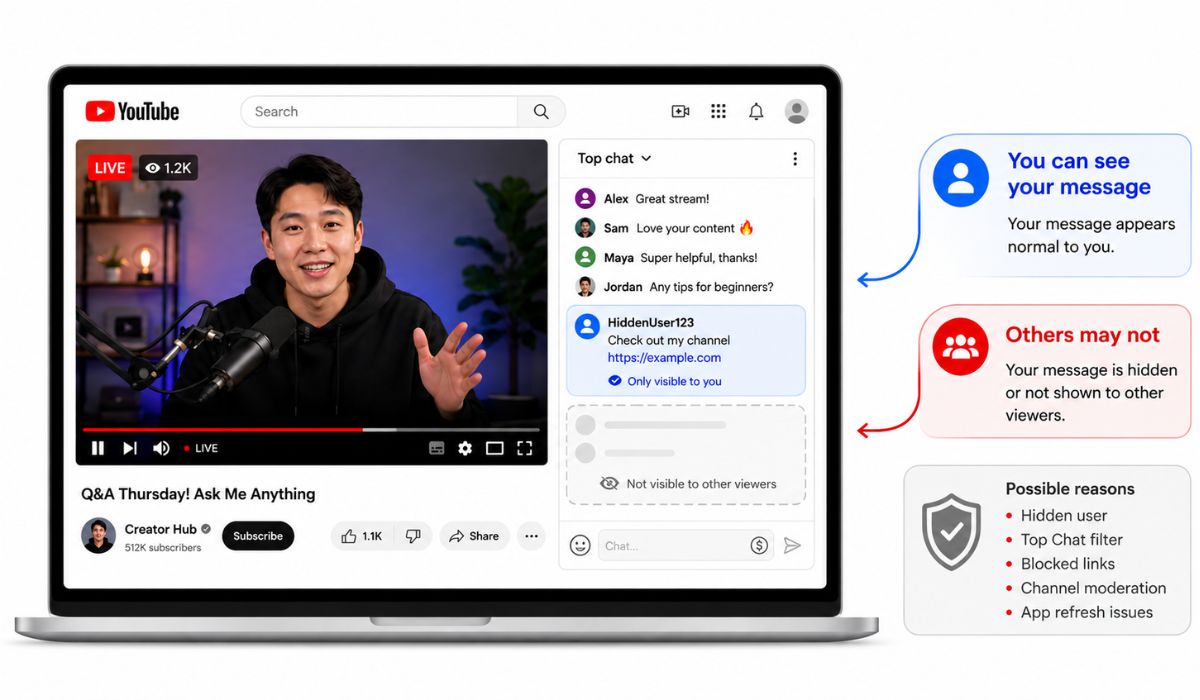
When people say “YouTube shadowban,” they usually mean this: your message appears to be posted to you, but other people cannot see it. It feels like you are talking in chat, but only you can see your own words.
YouTube may not always call this a shadowban. In many cases, it may be channel moderation. A creator or moderator can hide a user from a channel, and YouTube says that hidden users do not receive notifications. Their comments can be hidden from that channel, so it may feel like a shadowban from the viewer side.
But every missing chat message is not proof that you are hidden. Sometimes your message is filtered by Top Chat. Sometimes links are blocked. Sometimes a word in your message triggers moderation. And sometimes the YouTube app is just not refreshing chat properly.
Signs You Might Be Hidden or Filtered in Stream Chat
One missing message does not mean much. YouTube live chat moves fast, and streamers miss comments all the time. The real clue is a pattern.
You may be hidden or filtered if:
- You can see your own message, but your friend cannot see it
- Your messages show on one channel but not another
- Messages with links never appear
- Your chats disappear only when you use certain words
- You get no replies even in a slow live chat
- Your message appears in Live Chat but not Top Chat
- You cannot send messages for a while after a moderator action
The strongest sign is when your message appears on your screen but does not appear for someone else watching the same live stream. That is when you should start testing properly instead of guessing.
Common Reasons Your YouTube Stream Chat Messages Do Not Show
Different YouTube chat issues can look almost the same from your side. That is why people quickly call everything a shadowban. But the cause may be much simpler.
| What You Notice | Possible Cause |
|---|---|
| You see your message, but others do not | Hidden from the channel or filtered |
| The message with a link never appears | URLs may be blocked |
| Some messages show, others disappear | Blocked words or spam filters |
| Messages work on other channels | One channel may have hidden you |
| Chat looks incomplete in Top Chat | Top Chat filtering |
| You cannot send for a short time | Timeout or temporary restriction |
YouTube lets channel owners block certain words in live chat. Live chat messages containing or closely matching blocked words can be blocked. YouTube also says live chat messages with URLs can be blocked too, depending on the channel’s settings.
So if your message contains a link, repeated text, harsh words, spammy wording, or anything the channel blocks, it may not appear even if your account is fine.
First, Switch From Top Chat to Live Chat
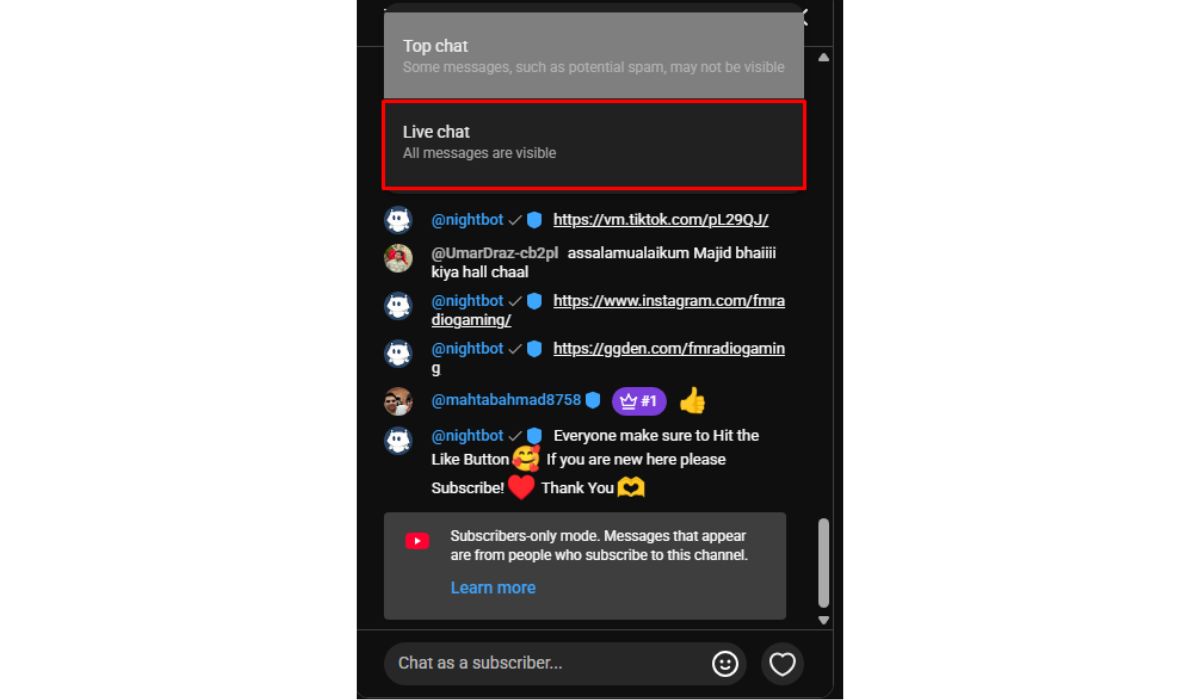
Before thinking about a shadowban, check the chat view. YouTube often shows “Top Chat” by default. Top Chat is filtered, so it may not show every single message.
Switch to “Live Chat” during the stream. Live Chat shows the chat feed more directly, while Top Chat may filter out some messages. If your message appears in Live Chat but not in Top Chat, that is probably filtering, not a full shadowban.
This is a small thing, but many people miss it. They think their message is gone when YouTube is only showing a filtered chat view.
Test If Other People Can See Your Chat
Your own screen is not enough proof. The best way to know if your messages are visible is to ask someone else to check.
Try this:
- Join a live stream with active chat.
- Send a normal message with no links.
- Avoid weird words, emojis, caps, or repeated text.
- Ask a trusted friend if they can see it.
- Ask them to check both Top Chat and Live Chat.
- Try the same kind of message on another channel.
Keep the test message boring on purpose. Something like “Hi everyone” or “Good stream today” works better than posting links or jokes. If simple messages show, your account is probably not fully blocked. If even simple messages do not show to others, then channel-level hiding or account-level filtering becomes more possible.
Check If You Are Hidden From One Channel
If your messages fail only on one channel, you may be hidden from that channel. This can happen if the creator or moderator hid you before. Maybe because of spam, arguments, links, off-topic comments, or just a moderation choice.
YouTube gives creators and moderators tools to hide users from their channel. YouTube also says the hidden user does not get a notification. So from your side, it may feel like your chat is posting, but other viewers cannot see it.
The easiest way to check is to compare channels. If your live chat messages work normally on other streams but never show on one specific channel, the issue is likely with that channel’s moderation settings. It does not mean your whole YouTube account is shadowbanned everywhere.
If you know the creator or a moderator, you can ask politely. Do not spam them or make new accounts to bother them. That usually makes things worse.
Avoid Words, Links, and Spammy Chat Patterns
Live chat filters are not only about bad words. A message can be blocked for links, repeated text, sensitive terms, too many emojis, or anything that looks like spam. Some channels also have their own blocked words list.
Try sending cleaner messages for a while:
- Do not send links
- Avoid repeating the same message
- Avoid all caps
- Don’t use too many emojis
- Avoid insults or aggressive words
- Stay on topic with the stream
- Do not copy-paste the same thing again and again
YouTube’s moderation tools allow channels to block messages containing certain words or closely matching those words. Channels can also hold potentially inappropriate live chat messages for review, depending on their moderation settings.
So if only certain messages disappear, the issue may be the words you are using, not your whole account.
Make Sure You Were Not Timed Out
A timeout is different from being hidden. If you are timed out, you cannot send messages for a set period. It is usually temporary. After the timeout ends, you may be able to chat again.
A hidden-from-channel situation can last longer and may be less obvious. You might still think your messages are going through, but they may not be visible to others on that channel.
If you suddenly could not chat for a short time, then later everything worked again, it may have been a timeout. If your messages keep failing on the same channel day after day, hiding or channel filtering is more likely.
Try Another Device, Browser, or YouTube App
Sometimes the problem is not moderation at all. It can be the YouTube app, browser cache, extensions, or a display bug. Maybe your message did send, but chat is not refreshing properly on your side.
Try a few simple checks:
- Refresh the live stream.
- Update the YouTube app.
- Clear the app cache if you are on Android.
- Try YouTube in another browser.
- Use Incognito or private mode.
- Disable browser extensions for a test.
- Try another device if possible.
If everything works on another device or browser, then your account may not be the problem. The issue may be your app, browser, extension, or cached data. This is boring troubleshooting, I know, but it does catch small problems.
What to Do If You Think You Are Hidden
If you think you are hidden from a channel, don’t keep spamming test messages. That can make you look worse to moderators. First, test on other channels with normal messages and see if the issue is only happening in one place.
If it is only one channel, read the channel’s chat rules. Some creators do not allow links, self-promotion, drama, repeated jokes, or certain topics. You may have been hidden for something small, or maybe by mistake.
You can try these steps:
- Stop sending repeated test messages
- Check the channel’s chat rules
- Wait and try again later
- Test your chat on other channels
- Ask the creator or moderator politely if you know them
- Review your recent chat behavior
- Contact YouTube Help if the issue seems account-wide
If your messages do not show anywhere, even simple messages on different streams, then it may be more than one channel. In that case, check your account status, app issues, and YouTube Help options.
How to Avoid Getting Filtered in Future Stream Chats
You cannot control every channel’s moderation settings. Each creator can run chat differently. Some are relaxed. Some have strict filters. Some moderators remove almost anything that looks off-topic.
Still, you can lower the chance of getting filtered:
- Avoid links unless the creator allows them
- Don’t spam the same message
- Avoid insults and banned words
- Keep your message related to the stream
- Avoid all-caps walls of text
- Don’t overuse emojis
- Respect moderator warnings
- Use Live Chat if you want the fuller feed
A good rule is to chat like a normal person in the room. If the message looks like spam, promotion, drama, or bait, it has a higher chance of getting blocked or hidden.
Final Thoughts
If your YouTube live chat messages are not showing, it does not always mean YouTube shadowbanned your whole account. It could be Top Chat filtering, blocked words, links, spam filters, a timeout, app issues, or the channel owner hiding you from that specific channel.
The best test is simple. Switch to Live Chat, send a normal message with no links, ask a friend if they can see it, and try another stream. If your messages work elsewhere, the issue is probably one channel. If they fail everywhere, check your account, app, browser, and YouTube Help options.
Are your YouTube stream chat messages disappearing on one channel only, or does it happen on every live stream you join?

