

Virtual Classroom Tools Like Microsoft Teams For Teaching Online
The rapid evolution of digital technology has transformed the educational landscape, making virtual classroom tools an essential component of modern teaching. Platforms such as Microsoft Teams have emerged as powerful solutions that enable educators to deliver lessons, collaborate with students, and manage coursework entirely online. Whether used in K–12 classrooms, higher education, or corporate training programs, these tools provide flexibility, structure, and interactive opportunities that go far beyond simple video conferencing.
TLDR: Virtual classroom tools like Microsoft Teams allow educators to teach, collaborate, and assess students in dynamic online environments. They combine video conferencing, file sharing, real-time collaboration, and classroom management features into one platform. These tools enhance engagement, streamline communication, and support both synchronous and asynchronous learning. When used effectively, they can significantly improve the online learning experience.
As remote and hybrid learning models become increasingly common, educators must rely on intuitive and comprehensive digital platforms. Microsoft Teams, along with similar tools, offers integrated features that help simulate many aspects of the traditional classroom while introducing entirely new possibilities for engagement and collaboration.
The Rise of Virtual Classrooms
The global shift toward digital education accelerated dramatically in recent years. Schools and institutions needed reliable systems that could:
- Host live lectures and discussions
- Share documents and multimedia resources
- Assign and collect coursework
- Provide real-time feedback
- Facilitate student collaboration
Virtual classroom tools stepped in to meet these needs. Unlike basic video conferencing software, platforms such as Microsoft Teams integrate communication, file management, grading tools, and third-party app integrations into one cohesive environment.
This consolidation reduces the need for multiple platforms, making the teaching experience more streamlined and manageable.

Core Features of Microsoft Teams for Teaching
Microsoft Teams is designed to function as a digital hub for education. Its structure typically revolves around “Teams” for each class, within which there are channels for specific topics or subjects.
1. Video Conferencing and Live Lessons
Live video sessions allow teachers to conduct lectures, host question-and-answer sessions, and facilitate group discussions. Important features include:
- Screen sharing for presentations and demonstrations
- Breakout rooms for small group activities
- Session recording for students who cannot attend live
- Live captions to improve accessibility
These capabilities help maintain interaction and replicate classroom dynamics.
2. Assignment Management
Teachers can create, distribute, and grade assignments directly within the platform. Features typically include:
- Customizable due dates
- Rubric integration
- Inline feedback tools
- Automatic notifications
This centralized system reduces administrative tasks and keeps academic records organized.
3. File Sharing and Collaboration
Microsoft Teams integrates seamlessly with cloud storage solutions, allowing teachers and students to:
- Upload and access course materials
- Collaborate on shared documents in real time
- Maintain organized digital notebooks
Real-time document editing helps students work together on projects without needing to meet physically.
4. Communication Channels
Clear communication is essential in online learning. Teams provides:
- Public class announcements
- Private messaging between teachers and students
- Threaded discussions for topic-based conversations
This structure ensures that important updates are visible while allowing individualized support.
Benefits of Using Virtual Classroom Tools
The adoption of platforms like Microsoft Teams offers numerous advantages for both educators and students.
Enhanced Accessibility
Online platforms remove geographical barriers, making education accessible to students regardless of location. Recorded sessions allow learners in different time zones or with scheduling conflicts to participate effectively.
Improved Organization
All course materials, assignments, and communications are housed within a single interface. This reduces confusion and ensures that students always know where to find resources.
Data-Driven Insights
Many virtual classroom tools provide analytics that help educators track:
- Student attendance
- Assignment submissions
- Participation levels
- Progress trends
These insights allow instructors to identify struggling students early and provide targeted support.
Image not found in postmetaFlexibility in Teaching Styles
Virtual platforms support a variety of teaching methods, including:
- Synchronous learning (live instruction)
- Asynchronous learning (pre-recorded materials)
- Blended models (a mix of in-person and online)
This flexibility allows educators to adapt their strategies according to subject matter and student needs.
Challenges and Considerations
While virtual classroom tools are powerful, they are not without challenges.
Technical Barriers
Reliable internet access and compatible devices are essential. Students without adequate technology may struggle to participate fully. Institutions must work to ensure equitable access.
Learning Curve
Both teachers and students may initially find advanced platforms overwhelming. Proper onboarding, training sessions, and support documentation are critical for successful adoption.
Maintaining Engagement
Keeping students engaged through a screen requires intentional planning. Educators often incorporate:
- Polls and quizzes
- Interactive whiteboards
- Group projects in breakout rooms
- Visual and multimedia content
Active participation strategies are essential to prevent virtual fatigue.
Best Practices for Teaching with Microsoft Teams
To maximize the effectiveness of virtual classroom tools, educators often follow structured best practices.
Establish Clear Expectations
At the beginning of a course, teachers should outline:
- Participation guidelines
- Communication protocols
- Assignment submission procedures
- Online etiquette rules
Clarity promotes accountability and minimizes misunderstandings.
Create Organized Channels
Dividing content into clearly labeled channels helps students navigate materials easily. For example:
- General Announcements
- Week 1 Materials
- Exam Preparation
- Group Projects
Logical organization reduces cognitive overload and improves efficiency.
Use Multimedia Strategically
Incorporating videos, interactive presentations, and visual aids enhances comprehension and maintains interest.
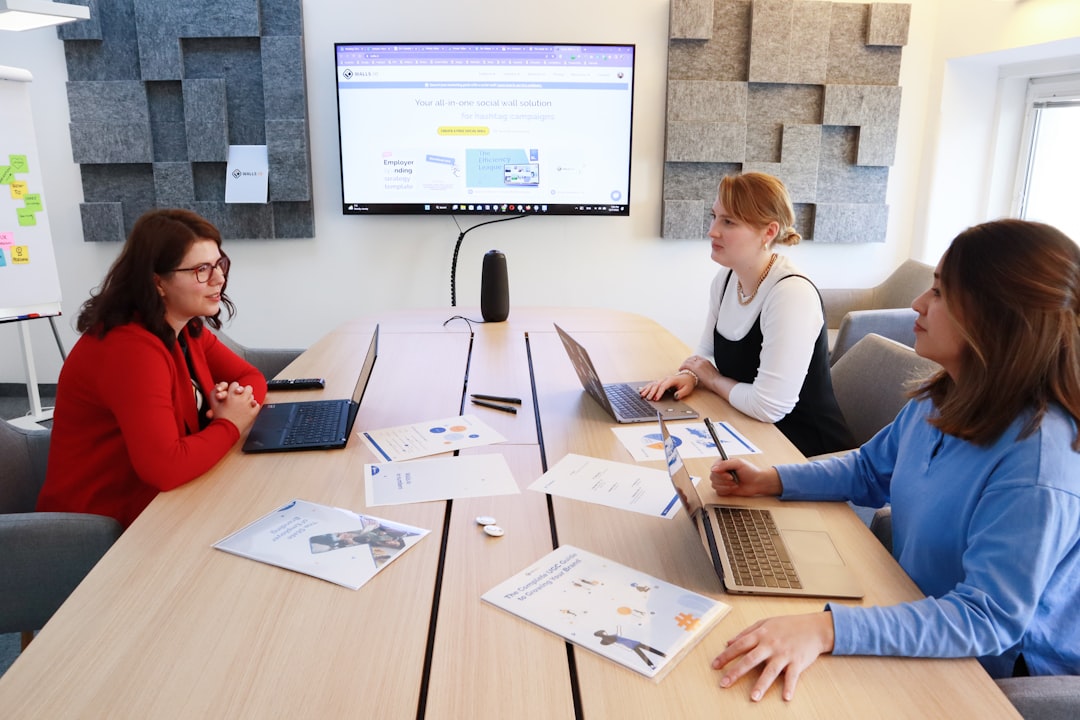
Encourage Collaboration
Group assignments foster social interaction and teamwork. Features like shared documents and breakout rooms make collaboration seamless and structured.
Provide Regular Feedback
Timely, constructive feedback is vital in online learning environments. Digital platforms allow teachers to comment directly on assignments, record audio feedback, or schedule one-on-one video sessions.
Comparing Microsoft Teams with Other Virtual Classroom Tools
While Microsoft Teams is a comprehensive solution, several other platforms offer similar functionality. When comparing tools, institutions often evaluate:
- Ease of use
- Integration capabilities
- Security features
- Scalability
- Cost-effectiveness
Microsoft Teams stands out for its integration with productivity suites and enterprise-level security. However, the best tool ultimately depends on institutional needs and teaching objectives.
The Future of Virtual Classrooms
The future of online education is likely to incorporate even more advanced technologies, such as artificial intelligence, immersive virtual reality, and personalized learning analytics. Virtual classroom platforms are evolving to include:
- AI-powered tutoring assistance
- Automated grading systems
- Advanced data dashboards
- Interactive virtual reality classrooms
As these tools continue to improve, the line between physical and virtual classrooms will become increasingly blurred.
Rather than replacing traditional education, virtual classroom tools are expanding its reach and capabilities. They offer meaningful opportunities for global collaboration, flexible scheduling, and innovative pedagogy.
Frequently Asked Questions (FAQ)
1. Is Microsoft Teams suitable for all age groups?
Yes, Microsoft Teams can be adapted for various educational levels, from primary schools to universities and corporate training. Features and permissions can be customized according to age and learning requirements.
2. Can classes be recorded for later viewing?
Most virtual classroom platforms, including Microsoft Teams, allow lessons to be recorded and stored securely so students can review them later.
3. How secure are virtual classroom tools?
Leading platforms implement enterprise-grade security measures, including data encryption and user authentication, to protect student information and communications.
4. Do students need special software to participate?
Typically, students only need a compatible device and internet connection. Many platforms can be accessed via web browsers or mobile apps without extensive installation requirements.
5. How can teachers keep students engaged online?
Engagement can be maintained through interactive features such as polls, breakout rooms, multimedia presentations, collaborative assignments, and regular feedback.
6. Are virtual classroom tools effective for assessment?
Yes, they offer built-in assignment tools, quizzes, grading rubrics, and analytics that support comprehensive and organized assessment processes.
Virtual classroom tools like Microsoft Teams have fundamentally reshaped education. By combining communication, collaboration, and classroom management into a single digital ecosystem, they enable educators to deliver effective and engaging instruction in an increasingly connected world.

