

Square Up POS System: Pros and Cons
Running a small business today requires more than just great products and quality service. You also need streamlined operations, efficient payment processing, and a flexible point-of-sale (POS) system to tie everything together. Enter Square Point of Sale (POS), a widely-used and user-friendly POS solution developed by Block, Inc. (formerly Square Inc). Whether you’re managing a small café, operating a mobile booth, or running an eCommerce business, Square POS offers a toolbox designed to help modern merchants thrive.
TLDR: Square POS is a flexible, affordable, and intuitive point-of-sale system, well-suited for small to medium-sized businesses. It offers a robust suite of features with minimal up-front cost, making it ideal for new business owners. However, it’s not without limitations, such as limited offline capabilities and high transaction fees. Business owners should weigh these advantages and challenges before committing to Square POS.
What is Square POS?
Square POS is a cloud-based system that allows businesses to accept payments, track sales, manage inventory, and engage with customers—all from a sleek interface that can be operated on mobile devices or custom hardware solutions. It’s recognized for its ease of use and accessibility, especially by entrepreneurs and small businesses looking for an effective, all-in-one solution without requiring technical expertise or large financial investment.
Pros of Square POS
Let’s start with the many reasons why Square POS has become an industry favorite. Square has built its reputation by offering powerful features with little to no upfront cost. Here are the highlights:
1. User-Friendly Interface
Square POS is intuitive and cleanly designed. Setup is fast, and users report minimal learning curve. New employees can be trained quickly without extensive manuals or sessions.
2. Low Start-Up Costs
One of Square’s biggest selling points is that it’s free to get started. Download the app and use it on your existing iPhone, iPad, or Android device. Square also provides a free magstripe card reader, which supports basic transactions.
3. Hardware Options
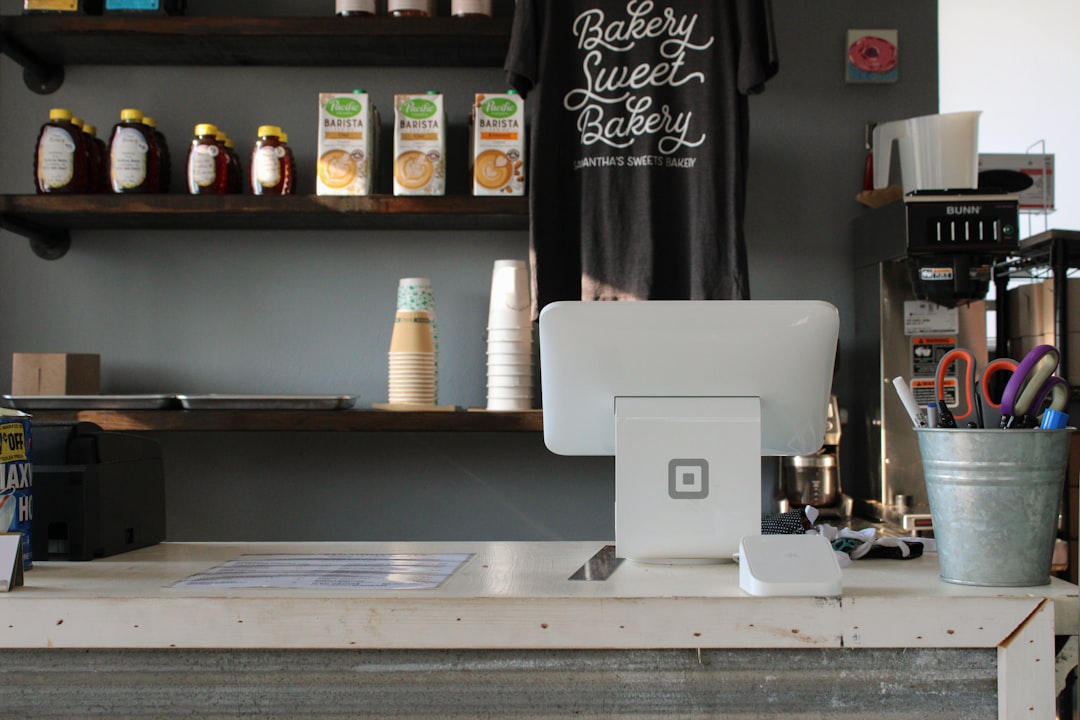
For those who want a more professional setup, Square sells integrated hardware like the Square Register and Square Terminal. These devices create a more robust checkout experience.
4. Versatile Payment Methods
Square supports a wide variety of payment methods including:
- Credit and debit cards
- Contactless payments (Apple Pay, Google Pay)
- Gift cards and invoices
- Online payments integrated with Square Online
5. Modular and Scalable
Square grows with you. Add-ons and integrations can turn a basic POS system into a retail powerhouse with tools for payroll, marketing, loyalty programs, and more. The modular ecosystem includes features like Square for Restaurants and Square for Retail tailored for specialized needs.
6. Real-Time Analytics and Reporting
Square POS provides detailed sales reports, helping business owners make informed decisions. Track sales performance across different locations, identify best-selling products, monitor inventory levels, and even export data for accounting tools like QuickBooks.
7. Cloud-Based Access
Because everything is cloud-based, data is stored and updated in real time. Business owners can access important details at home, on the road, or in a different store location using their Square Dashboard.
8. No Binding Contracts
Unlike traditional POS systems, Square doesn’t lock users into long-term agreements or lease obligations. Simply pay per transaction and cancel any time without penalties.
Cons of Square POS
Despite its many strengths, Square POS also comes with a few drawbacks. Depending on your business’s specific needs, these cons may or may not be deal-breakers.
1. High Processing Fees Over Time
While there are no startup costs, Square charges per transaction—usually around 2.6% + 10¢ for in-person payments and 2.9% + 30¢ for online sales. Businesses with high transaction volumes may find these fees add up quickly, making it more expensive than traditional processors in the long run.
2. Limited Customer Support
Square offers email and phone support, but some users report long wait times or less-than-helpful service reps. Businesses that depend on fast tech support may find this frustrating, especially during busy hours.
3. Connectivity Requirements
Although Square POS can operate offline in a limited capacity, many features require stable internet access. Features like data syncing, payment processing, and reporting may not work properly in disconnected environments.
4. Feature Limitations for Larger Businesses
While Square is ideal for small to medium operations, larger businesses may find it lacking in advanced features needed for enterprise-grade inventory management or multi-level employee permissions. Larger companies often outgrow the platform’s capabilities.
5. Inconsistent Fund Holds and Account Freezes
Square has been criticized for sudden account freezes or fund holds, particularly when a business is engaged in high-ticket transactions or seen as a high-risk vendor. Although these measures are in place for fraud prevention, they can disrupt cash flow at critical times.
Who Should Use Square POS?
Square POS is best suited for:
- Startups and Small Businesses – Especially those in retail, food trucks, salons, and cafés.
- Mobile Vendors – Vendors at fairs, markets, or pop-ups benefit greatly from Square’s mobile-first design.
- eCommerce Businesses – With integrations like Square Online, smaller eCommerce shops can process orders and manage inventory with minimal hassle.
On the flip side, businesses that deal with a high volume of transactions or have unique processing requirements may benefit more from a traditional POS system or a customizable enterprise-level solution.
Notable Features & Add-Ons
Square POS can be enhanced with additional tools and applications:
- Square Appointments: Useful for service-based businesses needing an integrated booking platform.
- Loyalty Program: Automate reward programs and encourage repeat customers.
- Square Payroll: Run your payroll directly through your Square Dashboard.
- Inventory Management: Helps track stock levels, manage SKUs, and automate alerts on low inventory.
- Employee Management: Monitor hours, assign permissions, and generate specific reports per staff member.

Final Verdict
Square has revolutionized the POS landscape with its approachability, transparency, and all-in-one business toolkit. It expertly fills the gap for businesses that don’t need a massive, expensive POS system but still require power and flexibility. However, you should always evaluate your specific use case to determine whether Square’s transaction fees, customer service limitations, or offline capabilities will become obstacles over time.
Conclusion
Square POS is more than just a payment processor—it’s a multifaceted platform aimed at simplifying how small businesses operate. With a suite of tools that includes everything from marketing to payroll, it’s a solid choice for many modern businesses looking to grow intelligently. That said, understanding its limitations will help you decide whether it’s the right fit or simply the right now solution.

