
Critical Date Management Software: How to Track Deadlines and Reduce Risk
Deadlines are rarely just dates on a calendar. In many organizations, they represent contract renewals, court filings, compliance submissions, warranty expirations, lease reviews, insurance obligations, license renewals, project milestones, and revenue-impacting decisions. When one of these dates is missed, the result can be more than inconvenience: it can mean financial penalties, legal exposure, operational disruption, or damaged client relationships. That is why critical date management software has become an essential tool for teams that need to track deadlines accurately and reduce risk.
TLDR: Critical date management software helps organizations centralize important deadlines, automate reminders, assign accountability, and reduce the risk of missed obligations. It is especially valuable for legal, real estate, finance, procurement, compliance, and operations teams that manage time-sensitive commitments. The right system improves visibility, creates an audit trail, and helps teams act before deadlines become emergencies.
What Is Critical Date Management Software?
Critical date management software is a digital system designed to capture, organize, monitor, and alert teams about important dates tied to business obligations. Unlike a basic calendar app, it is built for structured deadline tracking, accountability, escalation, and documentation.
For example, a commercial real estate team may need to track lease expirations, rent review dates, break clauses, renewal windows, inspection deadlines, and insurance certificate dates across hundreds of properties. A legal team may need to monitor filing deadlines, response dates, contract notice periods, and regulatory dates. A procurement department may need to follow supplier contract renewals, pricing review dates, and service-level agreement checkpoints.
In each case, the risk is the same: important dates are easy to lose when they are buried in documents, spreadsheets, inboxes, or individual calendars. Critical date software solves this by turning those obligations into visible, trackable, and actionable records.

Why Spreadsheets and Shared Calendars Are Not Enough
Many organizations begin with spreadsheets, shared calendars, or manual reminders. These tools can work when there are only a few dates to manage. However, they quickly become unreliable as volume, complexity, and accountability requirements increase.
Common problems with manual tracking include:
- Data silos: Important dates may be stored in separate spreadsheets, inboxes, folders, or personal calendars.
- No clear ownership: Teams may not know who is responsible for reviewing, approving, or acting on a deadline.
- Version control issues: Multiple spreadsheet copies can lead to outdated or conflicting information.
- Missed reminders: Calendar alerts can be dismissed, overlooked, or never created in the first place.
- Lack of audit trail: It may be difficult to prove when a date was entered, changed, acknowledged, or completed.
- Limited reporting: Leaders cannot easily see upcoming deadlines, overdue tasks, or risk exposure across teams.
As organizations grow, relying on manual systems can create a false sense of control. A spreadsheet may show a deadline, but it does not reliably ensure that the right person acts on it at the right time.
Key Features of Critical Date Management Software
The best platforms do more than store dates. They create a repeatable process for managing time-sensitive obligations from capture to completion. While features vary by provider, strong critical date management systems typically include the following capabilities.
1. Centralized Deadline Repository
A centralized repository allows teams to store all critical dates in one secure location. Each record can include the date, description, category, owner, related document, priority level, status, and supporting notes. This makes it easier to find information and reduces dependence on individual employees’ memory or private files.
2. Automated Alerts and Reminders
Automated reminders are one of the most valuable features. Instead of relying on one alert the day before a deadline, teams can configure multiple notifications at different intervals, such as 90 days, 60 days, 30 days, and 7 days in advance. This gives stakeholders time to review options, gather approvals, negotiate terms, or prepare submissions.
3. Task Assignment and Accountability
Critical dates often require action from multiple people. Software can assign tasks to specific owners, set due dates for each step, and escalate overdue items to managers. This creates clarity around responsibility and reduces the common problem of assuming “someone else is handling it.”
4. Document Linking
Many deadlines are tied to contracts, leases, policies, licenses, permits, or case files. By linking dates directly to source documents, users can quickly understand the context behind a deadline. This is especially useful when employees need to verify notice requirements, renewal terms, penalty clauses, or compliance obligations.
5. Dashboards and Reporting
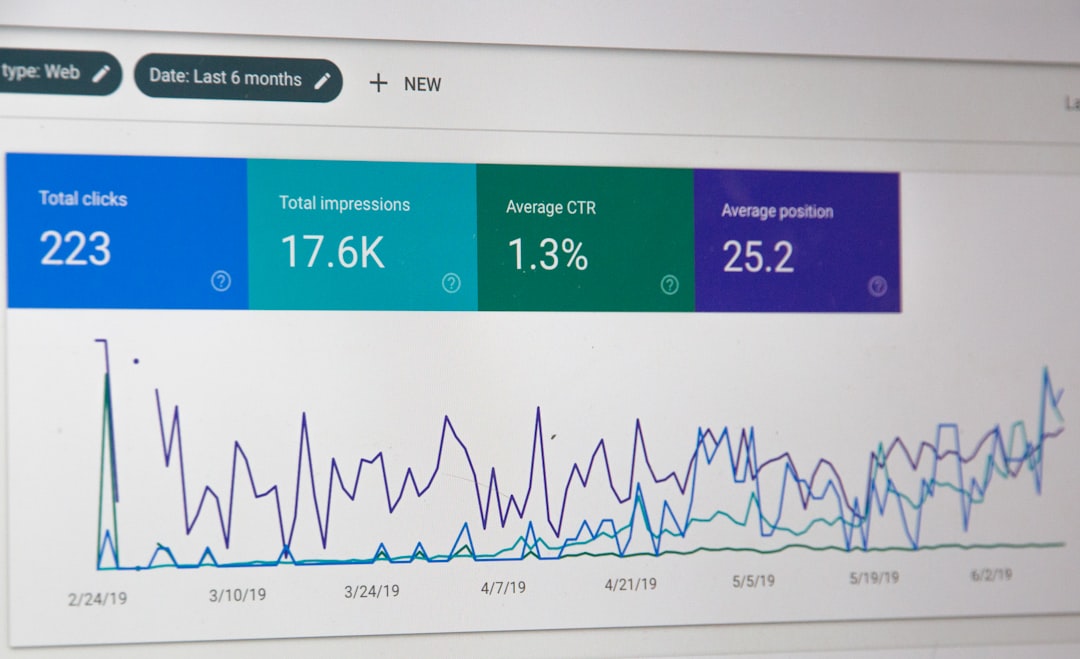
Dashboards help teams see what is coming up, what is overdue, and where risk is concentrated. Managers can filter dates by department, location, contract type, owner, priority, or status. This visibility supports better planning and allows leadership to intervene before small issues become expensive problems.
6. Audit Trail and Change History
An audit trail records updates, user actions, timestamps, and status changes. In regulated industries or legal environments, this can be extremely important. It helps demonstrate that deadlines were monitored, assigned, and handled according to internal procedures.
How Critical Date Software Reduces Risk
Risk reduction is the primary reason organizations invest in critical date management software. Missed dates can create legal, financial, operational, and reputational consequences. A strong system reduces these risks in several practical ways.
First, it improves visibility. When all important dates are centralized, leaders can see the organization’s upcoming obligations instead of waiting for individual teams to report problems.
Second, it creates early warning signals. Automated alerts allow teams to act weeks or months ahead of time, rather than reacting at the last minute.
Third, it reduces human error. Manual entry and informal tracking are vulnerable to omissions, typos, employee turnover, and inconsistent processes. Software provides structure and repeatability.
Fourth, it supports accountability. Clear ownership makes it easier to know who is responsible for each action, whether that means renewing a contract, approving a filing, or sending a notice.
Finally, it strengthens compliance. For industries with strict regulatory requirements, documented workflows and audit trails can help prove that deadlines were handled responsibly.
Common Use Cases Across Departments
Critical date management is useful in almost every department that deals with obligations, documents, or recurring deadlines. Some of the most common use cases include:
- Legal teams: Court dates, filing deadlines, contract notice periods, discovery deadlines, and statute-related dates.
- Real estate teams: Lease expirations, rent reviews, renewal options, break clauses, inspection dates, and property compliance deadlines.
- Finance teams: Payment dates, loan covenants, insurance renewals, tax deadlines, and audit milestones.
- Procurement teams: Supplier contract renewals, pricing reviews, service-level reviews, and termination notice windows.
- Compliance teams: License renewals, certification deadlines, regulatory submissions, policy reviews, and training deadlines.
- Human resources: Certification expirations, visa dates, employee review cycles, benefit enrollment deadlines, and policy acknowledgments.
In many organizations, the greatest value comes when multiple departments use the same system. This creates a unified view of risk instead of leaving every team to manage its own separate deadline process.
How to Choose the Right Critical Date Management Software
Selecting the right platform requires more than comparing feature lists. The best system is one that fits your organization’s processes, risk profile, and user habits. Before choosing a solution, consider the following criteria.
Ease of Use
If the software is difficult to use, employees may avoid it or maintain separate workarounds. Look for a clean interface, simple date entry, intuitive dashboards, and easy search functionality.
Customization
Different teams track different types of dates. A legal department may need matter numbers and court details, while a real estate team may need property locations and lease clauses. The software should allow customizable fields, categories, workflows, and reminder schedules.
Security and Permissions
Critical dates are often connected to sensitive documents and business obligations. The system should offer role-based permissions, secure access controls, and appropriate data protection features.
Integration with Existing Tools
Consider whether the platform can integrate with document management systems, email, calendars, contract lifecycle management tools, or enterprise resource planning systems. Integration reduces duplicate entry and helps teams maintain a single source of truth.
Reporting Capabilities
Strong reporting helps leaders understand risk exposure. Look for tools that can show upcoming deadlines, overdue items, owner performance, department-level obligations, and high-priority dates.
Scalability
Your deadline management needs may grow over time. Choose software that can support more users, more records, additional departments, and more complex workflows as your organization expands.
Best Practices for Managing Critical Dates
Technology is powerful, but it works best when paired with clear processes. To get the most value from critical date management software, organizations should establish practical rules for how dates are entered, reviewed, and completed.
- Define what counts as a critical date. Not every date needs the same level of attention. Create categories such as legal, financial, compliance, operational, and strategic deadlines.
- Assign an owner to every date. A date without an owner is a risk. Ownership should be visible and updated when responsibilities change.
- Use multiple reminders. Important deadlines often require preparation. Set reminders far enough in advance to allow meaningful action.
- Attach supporting documents. Link contracts, leases, policies, permits, or correspondence so users can verify details quickly.
- Review dashboards regularly. Weekly or monthly reviews can help teams identify upcoming risks and overdue actions.
- Standardize naming and categories. Consistent data entry makes searching, filtering, and reporting much more reliable.
- Audit the system periodically. Check for outdated records, missing owners, incorrect dates, and completed obligations that need closure.

Implementation Tips for a Smooth Rollout
Introducing critical date management software is not just a technical project; it is a process improvement initiative. Start by identifying the departments with the highest deadline-related risk. Gather examples of missed dates, near misses, and inefficient tracking methods. This helps build a strong business case and clarifies what the software must solve.
Next, clean and organize existing deadline data before importing it. Spreadsheets, contracts, and calendars may contain duplicate, outdated, or incomplete information. Migrating poor-quality data into a new system simply transfers the problem. A careful data review can prevent confusion later.
It is also wise to begin with a pilot group. A smaller rollout allows teams to test workflows, reminder timing, permissions, and reporting before expanding across the organization. Once the process is refined, training becomes easier and adoption improves.
Finally, make the system part of daily operations. Encourage teams to review deadlines during status meetings, contract reviews, compliance checks, and management reporting. The more the software becomes embedded in routine workflows, the more value it produces.
The Business Value of Better Deadline Control
Managing critical dates well is not only about avoiding mistakes. It can also create measurable business value. Timely contract renewals may improve negotiation leverage. Early lease reviews may help reduce real estate costs. Proactive compliance tracking may prevent fines. Better visibility may help teams allocate resources more effectively.
There is also a cultural benefit. When employees trust that important deadlines are visible and under control, teams operate with less stress and fewer last-minute emergencies. Instead of constantly reacting, they can plan ahead, communicate clearly, and make better decisions.
Final Thoughts
Critical dates are easy to overlook but costly to miss. As organizations manage more contracts, regulations, properties, projects, and operational commitments, informal tracking methods become increasingly risky. Critical date management software provides the structure needed to centralize deadlines, automate reminders, assign accountability, and document action.
For any organization that depends on timely decisions and compliance with obligations, deadline management should not be left to chance. With the right software and disciplined processes, teams can reduce risk, improve visibility, and turn deadline tracking from a recurring source of anxiety into a reliable business advantage.

