
Top 10 Lesser-Known Design Tools That Boost Productivity by 40%
In the fast-paced world of digital design, productivity is often the defining factor between meeting deadlines and missing opportunities. While mainstream design tools like Adobe Creative Cloud and Figma dominate conversations, a growing number of lesser-known tools quietly help designers streamline workflows, automate repetitive tasks, and spark creativity. These hidden gems can dramatically reduce friction in the creative process and, in many cases, boost productivity by as much as 40% when integrated strategically.
TLDR: Many designers rely on popular software but overlook lesser-known tools that drastically improve efficiency. From rapid prototyping platforms to AI-powered color generators and workflow automation tools, these applications eliminate repetitive tasks and enhance collaboration. Integrating just a few of them into a daily workflow can significantly reduce project time and creative fatigue. Below are ten powerful yet underrated design tools that can transform productivity.
1. Whimsical
Best for rapid wireframing and idea visualization
Whimsical allows designers to create flowcharts, wireframes, user journeys, and mind maps in minutes. Its intuitive interface removes the friction often associated with more complex design platforms. Instead of spending hours perfecting early-stage layouts, designers can focus on structure and functionality.
The simplicity of Whimsical often leads to a 30–40% reduction in early-stage planning time. It is particularly effective for collaborative teams working remotely.
2. Stark
Best for accessibility compliance
Accessibility remains a priority in modern design, but manual compliance checks can be time-consuming. Stark integrates directly with tools like Figma and Sketch to analyze contrast ratios, color blindness simulation, and other accessibility concerns in real-time.
By automating accessibility testing, designers avoid lengthy revisions later in development, saving both time and resources.
3. Remove.bg for Designers
Best for instant background removal
Manually isolating subjects in photos used to require advanced Photoshop skills. Remove.bg uses AI to instantly remove backgrounds with surprising precision. Designers working in ecommerce, marketing, or social media find it especially helpful.
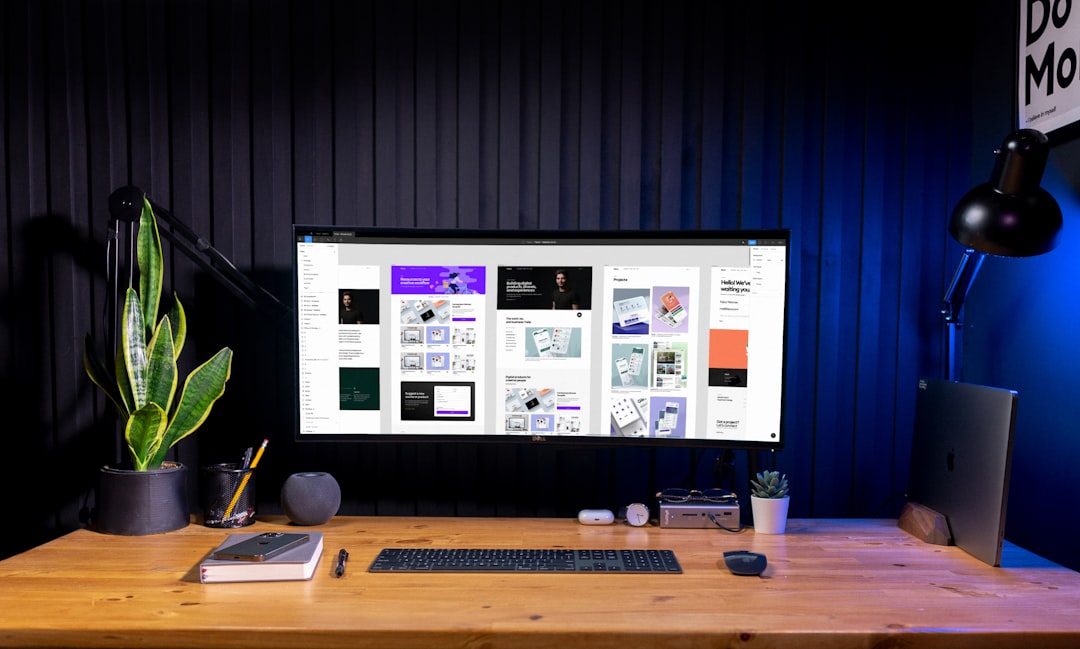
This automated process eliminates repetitive masking work and allows creatives to focus on composition and storytelling instead.
4. Coolors
Best for fast color palette generation
Color selection can either be a spark of inspiration or a frustrating time sink. Coolors simplifies the process with AI-powered palette suggestions. Designers can lock preferred colors and let the system generate harmonious combinations instantly.
Instead of manually experimenting with dozens of combinations, users narrow down choices in a fraction of the time, helping maintain creative momentum.
5. Fontjoy
Best for typography pairing
Selecting font combinations that complement one another is often more complex than expected. Fontjoy leverages machine learning to generate visually appealing font pairings with adjustable contrast levels.
By eliminating guesswork, designers can confidently finalize typography decisions faster and dedicate more attention to layout and content hierarchy.
6. Maze
Best for rapid user testing
Gathering user insights traditionally requires scheduling interviews or extensive beta testing. Maze integrates with prototypes and enables designers to gather usability feedback quickly through structured tests.
This early validation reduces revisions during later stages. The result is fewer design iterations and significant time savings.
7. Relume Library
Best for website wireframe systems
Relume Library offers a large collection of pre-built website components and wireframes. Designers building in Webflow or similar platforms can rapidly assemble page structures without starting from scratch.
Instead of reinventing layouts, professionals adapt proven components to suit project needs. This templated approach can cut web design timelines nearly in half.
8. Taskade
Best for workflow organization
Creative chaos often reduces productivity more than software limitations. Taskade combines task management, mind mapping, and collaboration features into one streamlined workspace.
For design teams juggling multiple revisions and clients, centralized organization significantly reduces communication delays and misplaced feedback.
9. Khroma
Best for AI-personalized color discovery
Unlike standard palette generators, Khroma learns individual color preferences. Users select a set of colors they like, and the AI builds combinations tailored specifically to their aesthetic.
This personalization accelerates brand identity work and ensures consistency across projects.
10. Spline
Best for interactive 3D design
Three-dimensional design once required highly specialized skills. Spline simplifies 3D creation directly in the browser, allowing designers to add interactive elements to websites and apps without complex coding.
By reducing technical barriers, Spline empowers teams to experiment freely while maintaining rapid production timelines.
Why Lesser-Known Tools Increase Productivity
These tools share several common productivity advantages:
- Automation of repetitive tasks such as background removal and color testing.
- Streamlined collaboration for remote teams.
- AI-driven suggestions that reduce decision fatigue.
- Rapid prototyping and validation before full development begins.
When designers rely solely on large, feature-heavy platforms, they may spend unnecessary time navigating complex interfaces. Niche tools target specific workflow pain points and eliminate delays caused by manual adjustments.
Implementing These Tools Strategically
Simply downloading new software does not automatically increase productivity. Successful integration requires strategy:
- Audit existing workflows. Identify bottlenecks.
- Adopt tools gradually. Introduce one or two at a time.
- Train team members. Ensure proper implementation.
- Measure time saved. Track performance improvements.
Teams that intentionally incorporate workflow enhancements often experience measurable efficiency gains within weeks.
The Competitive Advantage
Design is becoming more competitive as businesses demand faster turnaround times without sacrificing quality. Professionals who leverage intelligent tools gain a substantial advantage. Reducing time spent on repetitive tasks frees creative energy for innovation.
Ultimately, these lesser-known tools help designers spend less time struggling with logistics and more time solving meaningful creative challenges.
Frequently Asked Questions (FAQ)
1. Are lesser-known design tools reliable for professional projects?
Yes. Many lesser-known tools are built by specialized teams focusing on solving specific challenges. While they may not have the brand recognition of major platforms, they often deliver high-quality, professional-grade functionality.
2. Can these tools replace mainstream software like Adobe or Figma?
Most of these tools are best used as supplements rather than replacements. They enhance workflows by addressing specific inefficiencies, while mainstream platforms remain central hubs for design work.
3. How can these tools increase productivity by 40%?
Productivity gains come from automation, reduced revisions, faster prototyping, and improved collaboration. When repetitive tasks are minimized and feedback loops are shortened, overall project timelines shrink significantly.
4. Are these tools suitable for freelance designers?
Absolutely. Freelancers often benefit the most because time savings directly impact profitability. Tools like Remove.bg, Coolors, and Taskade can drastically reduce administrative and editing time.
5. Do these tools require advanced technical skills?
Most are designed with simplicity in mind. Many operate directly in the browser and require little to no coding knowledge.
6. How should a design team choose which tools to adopt?
Teams should evaluate their workflow bottlenecks first. If accessibility testing delays projects, Stark may be the priority. If rapid prototyping is the challenge, Maze or Whimsical may be more beneficial.
By embracing specialized, lesser-known tools, designers position themselves to work smarter—not harder—while maintaining the high standards modern clients expect.

