

Most Recommended 5 Video Apps for Podcast Clips and Talking-Head Videos
In an era where video content dominates online engagement, podcast creators, coaches, and content marketers are all looking for effective ways to repurpose their long-form content. Whether it’s a dynamic interview from your latest podcast episode or a powerful talking-head video sharing an important message, editing and formatting your clips effectively for platforms like TikTok, Instagram Reels, and YouTube Shorts is key to increasing visibility.
But with a flood of video editing tools on the market, how do you choose the right one? Below, we explore five of the most recommended video apps to turn your podcast clips and talking-head videos into scroll-stopping social media content.
TL;DR
If you’re short on time, here’s the quick version: There are several video apps tailored to short-form content that make editing, captioning, and styling a breeze. Apps like Descript, CapCut, and Veed.io excel in automated editing, while tools like Clips by Riverside cater specifically to podcasters. Use these tools to easily repurpose your content into highly shareable formats perfect for social media.
1. Descript – Best All-in-One for Podcasters
Why it’s recommended: Descript is almost every podcaster’s secret weapon. What sets it apart is its transcript-based editing — you can literally edit your video by editing the text, just like a document. That alone makes it ideal for curating short snippets from longer recordings.
Top Features:
- Transcription-based editing
- Screen recordings and multitrack editor
- AI voice cloning and filler word removal
- Automatic captioning and subtitles
Its powerful combination of audio and video post-production tools makes it the go-to choice for podcasters who want to extract multiple engaging clips from a single session.
Image not found in postmeta2. CapCut – Best for Short-Form Social Media Videos
Why it’s recommended: Developed by the creators of TikTok, CapCut is engineered for short-form content. It’s packed with transitions, effects, auto-captions, and trend-focused tools, all wrapped into a free-to-use interface.
Top Features:
- One-click auto subtitles and translations
- AI background removal and templates
- Multi-layer video editing
- Direct export to TikTok and other platforms
If you’re looking to convert your talking-head recordings into slick, attention-grabbing vertical videos, CapCut is an excellent tool — especially on mobile. Its prebuilt templates make it beginner-friendly and ideal for producing viral content quickly.
3. Veed.io – Best for Captions and Personal Branding
Why it’s recommended: Veed.io is known for its user-friendly interface and top-tier caption features. It excels at letting users add dynamic subtitles — think bold fonts, word-by-word animations, and brand colors — which work wonders for viewer attention on silent autoplay feeds.
Top Features:
- Custom, animated subtitles in various styles
- Simple drag-and-drop timeline editing
- Auto-resizing for different social platforms
- Stock assets, logos, and CTA overlays
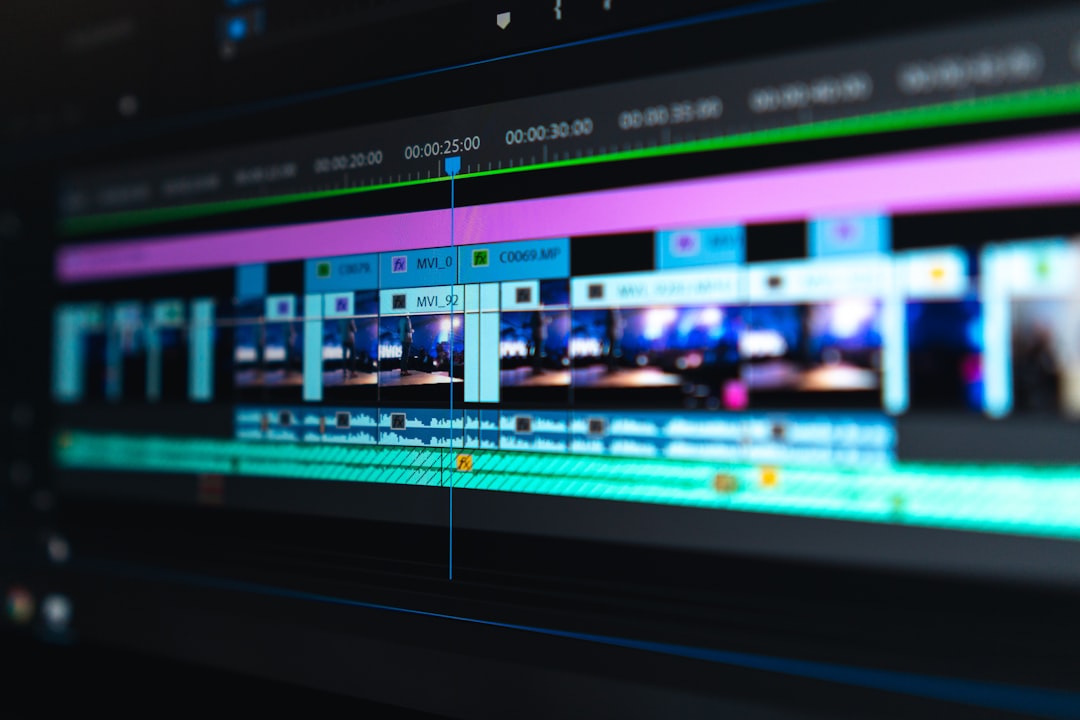
Additionally, Veed.io supports real-time collaboration, making it a helpful choice for remote teams. It balances simplicity for newcomers with customization perks that branding-focused creators will enjoy.
4. Clips by Riverside – Best for Podcast Interview Clips
Why it’s recommended: Designed by the same team behind the Riverside.fm recording platform, Clips is purpose-built for podcasters. The app leverages AI to automatically find the most interesting parts of your podcast and generate sharable video clips — a major time-saver.
Top Features:
- Automatic highlight detection
- AI-generated subtitles and titles
- Branding tools like logo overlays and custom colors
- Optimized export for YouTube Shorts, Reels, and more
Clips works seamlessly with Riverside’s studio-quality recording platform, although you don’t need to be a Riverside user to benefit. For interview-format podcasts looking to streamline clip creation, this is a powerful ally.
5. Adobe Express Video – Best for Branded, Polished Clips
Why it’s recommended: Formerly known as Adobe Spark, Adobe Express Video combines Adobe’s prestigious design tools with intuitive usability. It’s a fantastic platform for creating polished, professional-looking talking-head videos and podcast teasers.
Top Features:
- Thousands of free templates and text overlays
- Integrated media libraries for branding assets
- Storyboard-style editing for scripting ideas
- Export options optimized for Instagram, Facebook, and more

If you’re meticulous about brand aesthetics and visual consistency, Adobe Express Video is your go-to. It’s especially effective for marketing teams and solo entrepreneurs who want high-production visuals without needing high-level editing skills.
What to Look for When Choosing a Video App
There are a few key features to evaluate when selecting a video editing app for podcast clips or talking-head videos:
- Auto-captioning capabilities: With most social media users scrolling with sound off, captions are essential.
- Aspect ratio adjustment: Look for quick switching between 1:1, 9:16, and 16:9 formats.
- Ease of use: The best tools will let you focus on content, not struggle with interfaces.
- Platform-specific templates: Templates help your content look native to each platform, boosting engagement.
- AI-assisted editing: Apps that identify highlights or remove filler words can save hours of scrubbing timelines.
Tips to Maximize Your Talking-Head and Podcast Clips
Once you’ve chosen your app, keep these best practices in mind when editing your clips:
- Start with a hook: The first 3 seconds are crucial. Jump right into a compelling quote or question.
- Use dynamic subtitles: Emphasize key words with color and motion to maintain viewer interest.
- Maintain eye contact: Frame the subject’s eyes in the top third of the screen. This increases trust and retention.
- End with a CTA: Whether it’s “watch the full episode” or “subscribe now,” don’t waste those precious final seconds.
Final Thoughts
In today’s fast-paced content ecosystem, repurposing long-form content into highly consumable video snippets is a game-changing strategy. Whether you’re a podcaster, a coach, or a solopreneur, one of these five video editing apps can help you amplify your message and expand your reach with less effort.
From AI-powered tools like Clips by Riverside to design-centric platforms like Adobe Express, your ideal editing companion is out there — it just depends on your goals and workflow preferences.
So, go ahead and give one (or a few) a try. Your next viral clip might be just an export button away.

